
What is ne tags and how does it work?
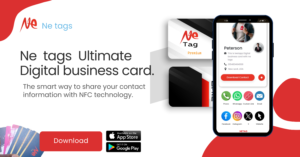
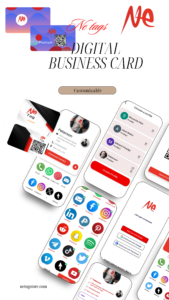
Ne tags is a digital business card reader and writer application for android and ios. It helps you to create and share your business and personal profile, social links, profile pictures, photos, videos, and more. You can also create a small shop to sell your products and services to potential customers via NFC business card, QR code, and link. Ne tags has multiple features, such as analytics, QR code scanner, link, multiple profile, multiple products and services link, direct share features, on off profile, add custom social links, and booking features.
How can I download and install ne tags app on my smartphone?
You can download and install ne tags app on your smartphone by scanning the QR code that comes with your ne tags NFC device or by visiting the official website or a trusted retailer. You can also search for the app on the App Store or Google Play and install it manually.
How can I create and edit my profile on ne tags app?
You can create and edit your profile on ne tags app by going to the home screen of the app and tapping on the icons of the links that you want to add to your digital business card. For example, you can add your social media profiles, website, email, phone number, etc. You will need to copy and paste the URL of each link from your browser or app and verify it on the ne tags app. You can also upload and manage your photos and videos on the app.
How can I add and verify my social links on ne tags app?
You can add and verify your social links on ne tags app by tapping on the icon of the social link that you want to add and copying and pasting the URL of your profile from your browser or app. You will then see a confirmation message on the app that your link has been verified. You can also edit or delete any link at any time from the app.
How can I upload and manage my photos and videos on ne tags app?
You can upload and manage your photos and videos on ne tags app by tapping on the icon of the photo or video that you want to add and selecting the file from your gallery or camera. You can also edit or delete any photo or video at any time from the app.
How can I create and edit my shop on ne tags app?
You can create and edit your shop on ne tags app by tapping on the icon of the shop that you want to add and filling in the details of your products and services, such as name, description, price, category, etc. You can also upload and manage your product or service photos and videos on the app.
How can I add and update my products and services on ne tags app?
You can add and update your products and services on ne tags app by tapping on the icon of the product or service that you want to add or edit and filling in or changing the details of your product or service, such as name, description, price, category, etc. You can also upload and manage your product or service photos and videos on the app.
How can I activate and use my ne tags NFC device?
You can activate and use your ne tags NFC device by tapping it with your smartphone. You will see a confirmation message on the app that your device is ready to use. You can then share your digital business card with anyone by tapping your ne tags NFC device to their smartphone. They will be able to access your information even if they don’t have the ne tags app or device.
How can I share my profile and shop with others using ne tags app?
You can share your profile and shop with others using ne tags app by using one of the following methods:
- NFC: Tap your ne tags NFC device to the other person’s smartphone and they will be able to access your information.
- QR code: Generate a QR code from the app and let the other person scan it with their smartphone camera or a QR code scanner app and they will be able to access your information.
- Link: Generate a link from the app and send it to the other person via email, text, or any other messaging app and they will be able to access your information.
How can I scan and access other people’s profile and shop using ne tags app?
- You can scan and access other people’s profile and shop using ne tags app by using one of the following methods:
- NFC: Tap your smartphone to the other person’s ne tags NFC device and you will be able to access their information.
- QR code: Scan the other person’s QR code with your smartphone camera or the ne tags app QR code scanner and you will be able to access their information.
- Link: Click on the other person’s link that they sent you via email, text, or any other messaging app and you will be able to access their information.